 Kujibako
Shuffle seats
Add names, set seats across and rows, and tap Shuffle seats.
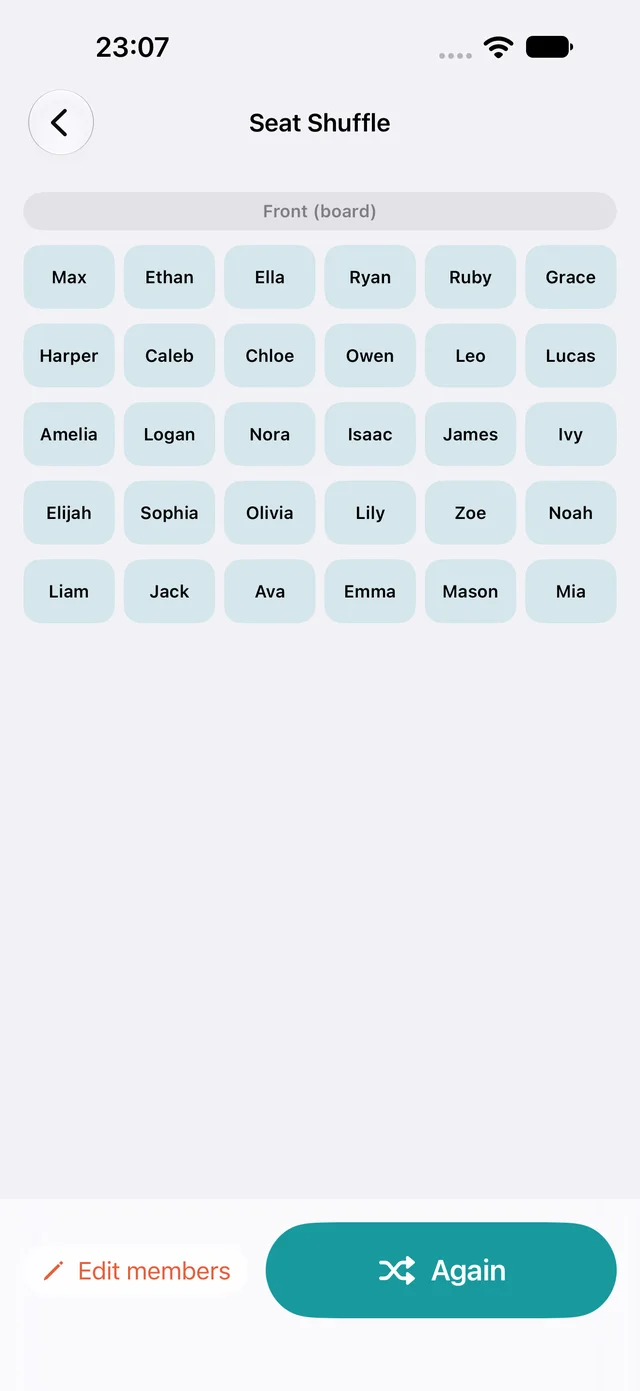
Seats are assigned with the Fisher–Yates method, so every arrangement is equally likely. If there are more seats than people, the empty seats are placed at random too.
Paste names separated by commas or new lines, or pick a saved list.
How to
- Open Seat Shuffle.
- Add names, or choose a saved list from Lists.
- Set seats across and rows (1–12 each), or tap Fit to headcount.
- Tap Shuffle seats. The chart shows the front (board) at the top.
- Tap Again to reshuffle, or Edit members to change names.
Version 1.0 can't fix someone to a seat or keep two people apart.
Questions
How many seats?
Up to 12 across by 12 rows: 144 seats.
Can I keep someone in the front row?
Not in this version. Swap seats by hand after the draw.
Is it safe to show in class?
The chart screen shows no ads, and ads are limited to general-audience content.
Kujibako is a free iPhone app. Removing ads is a one-time purchase.
Coming soon to theApp Store